

At a glance
A buyable look turns a styled outfit photo into something a shopper can purchase in one visit: every piece priced, in stock, and added to the bag from the same image, on the product page too. Shopify’s native Complete the look section does this with no app, or add one for hotspot tagging and a bundle discount.
Time: about 2 to 3 hours
Cost: free
Developer: not needed
A shopper finds a styled outfit photo she loves on your homepage or a lookbook page, and wants every piece in it — not just the one item you’d otherwise show her on a single product page.
A shoppable look is one photo that shows a complete outfit. Making it buyable means every piece in that photo can be added to the bag from right there, each with its own size and stock checked, rather than a picture a shopper then has to go recreate by hand across your catalogue.
This guide is about turning a look shoppers are already browsing into one they can buy in a single visit. To build the look pages themselves — the photo, the tagged products, where they show up in your menu and homepage — read How to Build a Shoppable Lookbook on Shopify That Keeps Shoppers Exploring.
This is one of three factors in Average Order Value, the stage that measures how much a shopper spends per order once she’s already decided to buy.
Part of Grow Your Shopify Fashion Store with Styling: Salesperson to Stylist, our guide to turning a Shopify fashion store from a salesperson into a stylist.
In this guide
A salesperson
shows one product at a time and leaves a shopper to hunt down the rest of the outfit herself.
A stylist
shows the whole outfit already assembled, with every piece one tap from her bag.
Why does a buyable look grow average order value?
A buyable look grows average order value because a shopper who already loves a full outfit can add every piece to her bag in one visit instead of buying one item and leaving the rest behind.
The mechanism is simple: she’s already decided she likes the outfit together, so the only thing standing between her and a bigger order is friction — having to find, size and add each piece herself. Remove that friction and more of what she already wants ends up in the cart.
35%
Roughly a third of what shoppers buy on Amazon comes from product recommendations shown to them while they browse — the same kind of nudge a buyable look gives a fashion shopper already looking at one outfit.
Source: McKinsey & Company, 2013, How retailers can keep up with consumers
55%
More than half of UK shoppers say they’ve bought extra items specifically to complete a look — the exact habit a buyable look turns into one add-to-bag instead of a second shopping trip.
Source: ASOS/Attest consumer research, 2026, via TheIndustry.fashion
What does a buyable look look like?
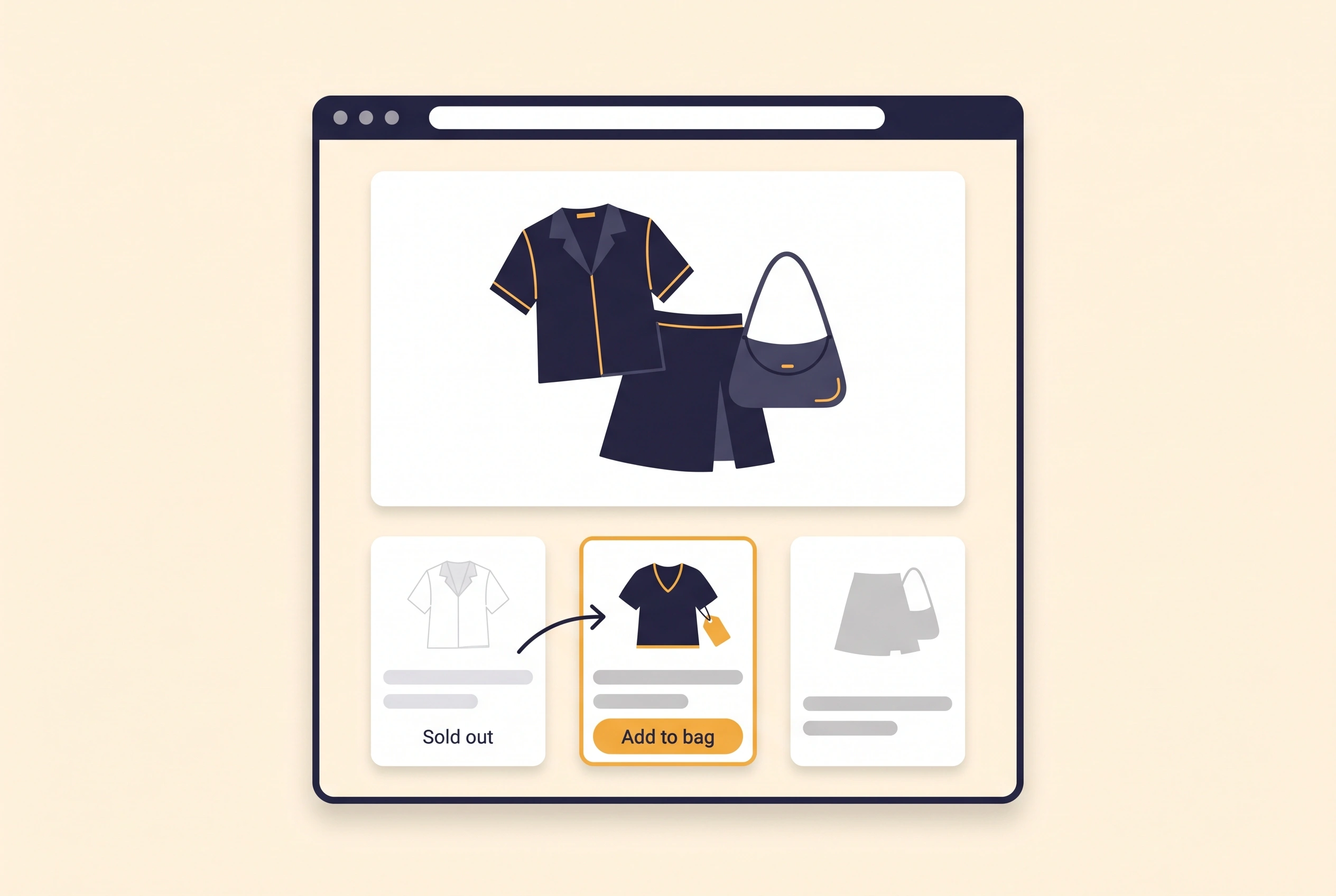
A buyable look succeeds when every piece a shopper sees in the photo is in stock, priced and one tap from her bag — not just a pretty picture she then has to go hunt through your catalogue to recreate.
The Styling Score’s exact Done, Halfway and Not yet wording for this factor isn’t in our records yet, so that table is left out of this draft rather than guessed (see “To verify”). The two-minute check below is the practical test in the meantime.
Not worth it if
Stores with only one or two looks on the whole site can check stock by hand when they publish and skip the AI agent below.
How do I check my store in two minutes?
Open your best-performing look on your phone and try to buy it the way a shopper would.
- Open your best-performing look. On your phone, find the look getting the most traffic on your homepage or a lookbook page.
- Try to tap each item in the photo. Does it take you to that exact product, or nowhere?
- Add every item to your bag from the look itself. If one is sold out, does the page hide it gracefully, or leave a dead tap?
- Open a product page for one item in the look. Can you see the rest of the outfit from there too, or only from the homepage?
Check this on your store with the free Styling Score
Bots walk your store like a shopper. You get a score out of 100, a tier and a report.
How do I make my look pages buyable by hand in Shopify?
By hand, making a look buyable is mostly admin work: check whether your theme already has the section, add one product card per piece, and confirm nothing in the photo is sold out before you publish.
- Check whether your theme already has a look section. In your Shopify admin, go to
Online Store › Themes › Customize, click Add section, and search for “Complete the look” or “Shop the look.” Many paid fashion themes include one; Shopify’s free Dawn theme does not. - Attach the photo and add one product card per piece. Upload the outfit image, then add a product card for every item in it, each with its own variant picker and Add to cart button.
- If your theme doesn’t have the section, use an app instead. See the apps table below — most stores on Dawn or a similar free theme get this from an app rather than custom code.
- Check stock before you publish. Open every item in the look and confirm every size still has units. Neither the native section nor most apps hide a sold-out card for you.
- Add the same look to each item’s own product page. Add the section, or the app’s block, to the product template for every piece in the look, so a shopper who lands on one item still sees the rest of the outfit.
Start with your best-selling look
Make your single best-performing look buyable first, confirm it’s converting, then repeat the pattern on the rest.
How do I keep every look in stock with an AI agent?
An agent can check every look’s stock in minutes and hand you a table of what needs a swap, instead of you opening each product one by one.
Use Shopify Sidekick inside your admin, the Shopify connector for Claude, or the Shopify plugin for ChatGPT.
Back up before you change anything
Export a CSV first (Products › Export). This agent only swaps which product a look references — it never touches prices, inventory counts or discounts.
- ReadEvery product referenced in each look on the store
- ProposeA table of looks with any item that’s sold out or low in its best-selling size
- ApproveYou choose a swap, or decide to pull that look until restock
- WriteOnly the swap you approved, applied to that one look
- VerifyOpen the look on the live site on a phone
Copy the prompt that matches your tool.
Look at every look I've built: [the Complete the look sections on my product and
collection pages, or: the looks in MY_LOOK_APP].
For each look, list the products it includes and check each one's current inventory
across all variants.
Flag any look where at least one product has zero inventory in every variant, or
fewer than 3 units left in its best-selling size.
Show me a table: look name, flagged product, the issue, and an in-stock replacement
from the same category if one exists.
Do not change anything until I reply "apply".
Export a CSV backup first. The prompt changes nothing until you reply apply.
Using the Shopify connector, read every look I've built in my Shopify store: [the
Complete the look sections on my product and collection pages, or: the looks in
MY_LOOK_APP].
For each look, list the products it includes and check each one's current inventory
across all variants.
Flag any look where at least one product has zero inventory in every variant, or
fewer than 3 units left in its best-selling size.
Show me a table: look name, flagged product, the issue, and an in-stock replacement
from the same category if one exists.
Do not change anything until I reply "apply".
Mention Shopify by name so the assistant uses the connector. Export a CSV backup first.
- Run it on your 3 busiest looks first. Open Sidekick from any page in your Shopify admin, paste the prompt, and read the table.
- Edit the table, then reply apply. Change any swap you wouldn’t choose yourself.
- Open the swapped look on your phone. Confirm the new product shows correctly before you move to the rest of your looks.
Keep it updated automatically: tag every product that appears in a look as in-a-look when you add it, then let Shopify Flow catch the moment one goes out of stock.
- Tag products you add to a look. Each time you add a product to a buyable look, add it the tag
in-a-looktoo, so Flow can watch it. - Build the Flow workflow. Open
Apps › Flowand start a new workflow. Choose the trigger Product variant out of stock, add the condition Tags contains in-a-look, and the action Add product tags, enteringneeds-look-check, then turn the workflow on. - Or ask Sidekick to build it. Paste the prompt below into Sidekick inside Flow and review what it creates before turning it on.
Create a workflow that starts when a product variant goes out of stock, with the
condition that the product has the tag in-a-look, and then adds the product tag
needs-look-check.
Sidekick builds the workflow for you to review. It stays inactive until you turn it on.
Run the stock-check prompt above weekly on products carrying the needs-look-check tag, then remove the tag from whatever you’ve resolved.
Which apps can help?
Start with your theme’s own section if it has one. Add an app only once you need more than one look, or a bundle discount.
| Way | What it does | Price | Checked | Best for |
|---|---|---|---|---|
| Your theme’s own look section, if it has one | Product cards under a styled photo, each with its own buy button | Free (built into many paid fashion themes; not in Dawn) | Oct 19, 2026 | Stores on a theme that already has it |
| Byte Lookbook & Shop The Look | Lookbook and carousel look pages, per-item add-to-cart, optional bundle discount | Free / $19 per month (Growth) | Oct 19, 2026 | Multiple looks shown across product, collection and cart pages |
| Shopylook: Shop the Look | Hotspot tagging on a single lifestyle photo | Free (3 looks) / $4.99 per month (Unlimited) | Oct 19, 2026 | A lean budget option — new app with no reviews yet, so test carefully |
| Kaching Bundles App & Upsells | Turns the look into one discounted bundle SKU instead of separate line items | Free to install, plans from $14.99 per month | Oct 19, 2026 | Stores that want a single “outfit price” rather than per-item pricing |
The personal layer
A buyable look still shows the same outfit to every shopper.
A buyable look is right about one thing and wrong about the rest: the outfit itself. It can’t make the jacket run longer because she’s tall, or swap the top for a colour that suits her, because the photo is fixed. A personal AI stylist can, because it builds the outfit around what one shopper actually needs from your own catalogue, not a fixed image.
iWAND is an AI stylist for independent fashion brands on Shopify. It gives every shopper a personal stylist, with outfits, styling advice, try-on and size help built on the brand’s own catalogue.
iWAND is our product. Free to install; iWAND charges 5% only on the sales it makes.
Read: How to Build a Personal Outfit Around Every Product to Grow Order Value
How long does it take and what does it cost?
Making your first few looks buyable takes about 2 to 3 hours, and it costs nothing if your theme or the native section already covers it.
| Way | Time | Cost | Skills needed |
|---|---|---|---|
| By hand | About 2 to 3 hours for your first few looks | Free | Editing in the theme editor |
| With an AI agent | About 15 minutes to set up the weekly check, then 10 minutes a week | Free with Sidekick | Reading a table, approving swaps |
| With an app | About 1 hour | Free to $19 a month | No developer |
How do I know it’s fixed?
This factor turns Done in the Styling Score once every look on your store is fully buyable and reachable from more than just the homepage.
That means every item in stock and one tap from the bag, with the look also showing on at least one relevant product page, not only where you first built it.
Run the free Styling Score again once you’ve published the fix, and watch average order value in Shopify Analytics (Analytics › Reports › Average order value) over a full week of orders rather than a single day.
Check this on your store with the free Styling Score
Bots walk your store like a shopper. You get a score out of 100, a tier and a report.
Where does this fit in AOV?
AOV has three factors, and this guide covers the second.
- AOV-01Complete the lookSuggests two or three extra items under one product.
- AOV-02Shoppable looks: buy the lookTurns a full outfit photo into something a shopper can buy in one visit.You are here
- AOV-03Personalized outfitBuilds a different outfit around one shopper, not a fixed photo.
All AOV guides · Grow Your Shopify Fashion Store with Styling: Salesperson to Stylist
What else do founders ask about buying the look?
Founders most often ask these six questions.
How long does it take to make a look buyable?
About two to three hours for your first few looks if your theme already has a Complete the look or Shop the look section — you’re mostly adding the photo and one product card per piece. Add an hour if you need to install an app first because your theme doesn’t include one.
Do I need an app?
Not if your theme already has a built-in Complete the look or Shop the look section — check Add section in the theme editor first. Shopify’s free Dawn theme doesn’t include one, so most merchants on it reach for an app such as Byte Lookbook or Shopylook instead.
What happens if one item in the look sells out?
Nothing happens automatically. Neither the native section nor most apps hide a sold-out card for you, so a shopper can tap a dead end. Swap the item or pull the look until it restocks, and set up the weekly AI-agent check in this guide to catch it going forward.
How is a buyable look different from Complete the Look?
Complete the Look suggests two or three extra items under one product a shopper is already viewing. A buyable look takes a full outfit photo you built for browsing and lets her purchase every piece in it, in one visit, rather than suggesting an add-on to a single item.
Can AI do this for each shopper?
A buyable look still shows the same outfit to every shopper. A personal AI stylist such as iWAND can build a different outfit around what one shopper actually needs from your own catalogue instead, including her size — covered in How to Build a Personal Outfit Around Every Product.
Does selling the whole look raise my return rate?
It can, if sizing is uncertain across several pieces at once. Pair a buyable look with clear fit notes or a size guide on every item in it, so a bigger order doesn’t turn into a bigger return.
Sources
- McKinsey & Company. How retailers can keep up with consumers. October 1, 2013. https://www.mckinsey.com/industries/retail/our-insights/how-retailers-can-keep-up-with-consumers
- TheIndustry.fashion, reporting ASOS/Attest consumer research. Consumers want styling advice, not more choice, ASOS finds. August 21, 2026. https://www.theindustry.fashion/consumers-want-styling-advice-not-more-choice-asos-finds/
- Shopify Help Center. Sections and blocks. Checked Oct 19, 2026. https://help.shopify.com/en/manual/online-store/themes/theme-structure/sections-and-blocks
- Shopify changelog. Shopify Flow: new triggers for product variant back in stock and out of stock. Checked Oct 19, 2026. https://changelog.shopify.com/posts/shopify-flow-new-triggers-for-product-variant-back-in-stock-and-out-of-stock
- Shopify App Store. Listings for Byte Lookbook & Shop The Look · Shopylook: Shop the Look · Kaching Bundles App & Upsells. Checked Oct 19, 2026.
AOV
Check every AOV factor on your store
The free Styling Score walks all three AOV factors and shows which are Done, Halfway or Not yet.
Master pillar
From a salesperson into a stylist
Part of Grow Your Shopify Fashion Store with Styling: Salesperson to Stylist, our guide to turning a Shopify fashion store from a salesperson into a stylist.