

At a glance
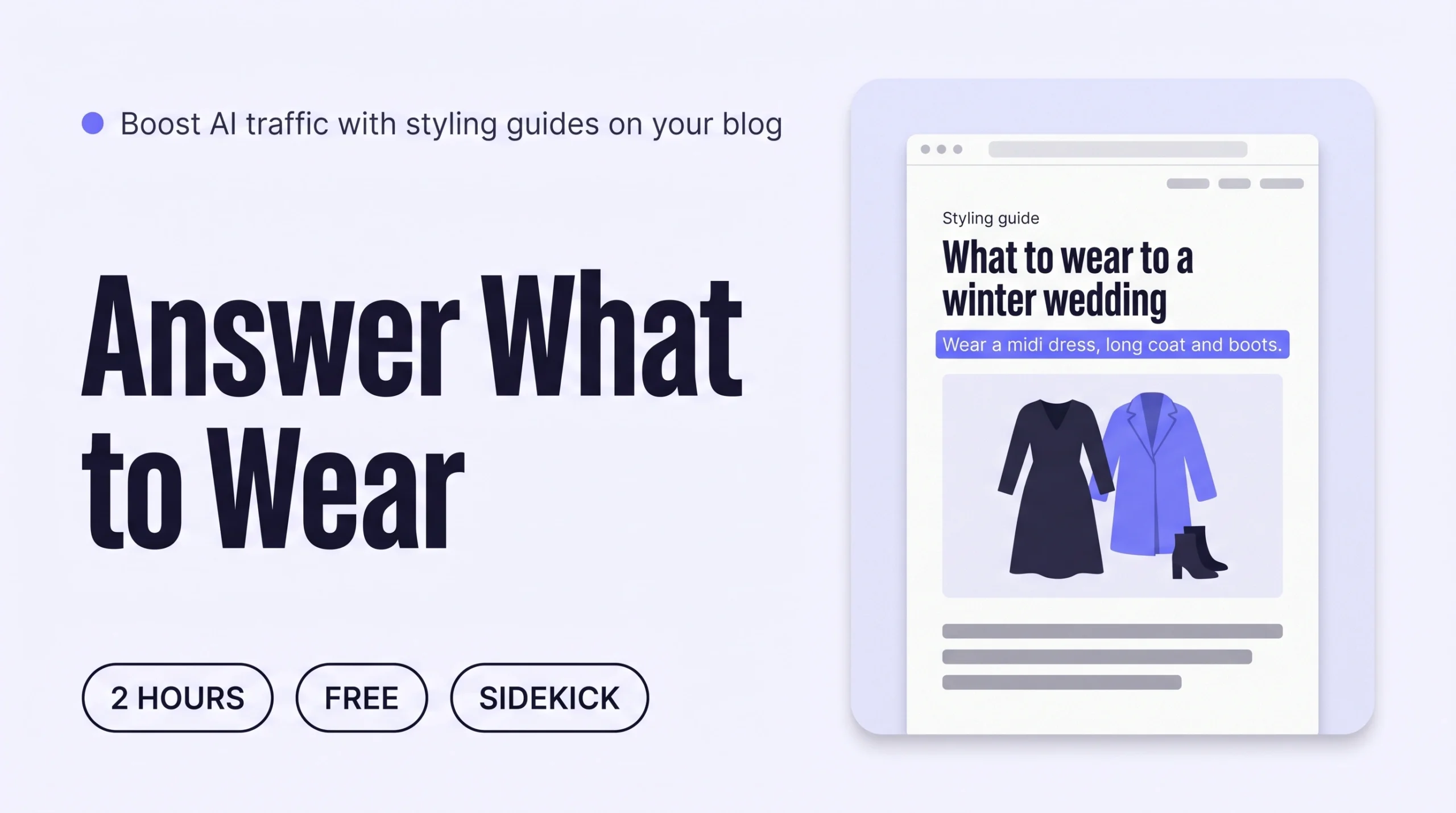
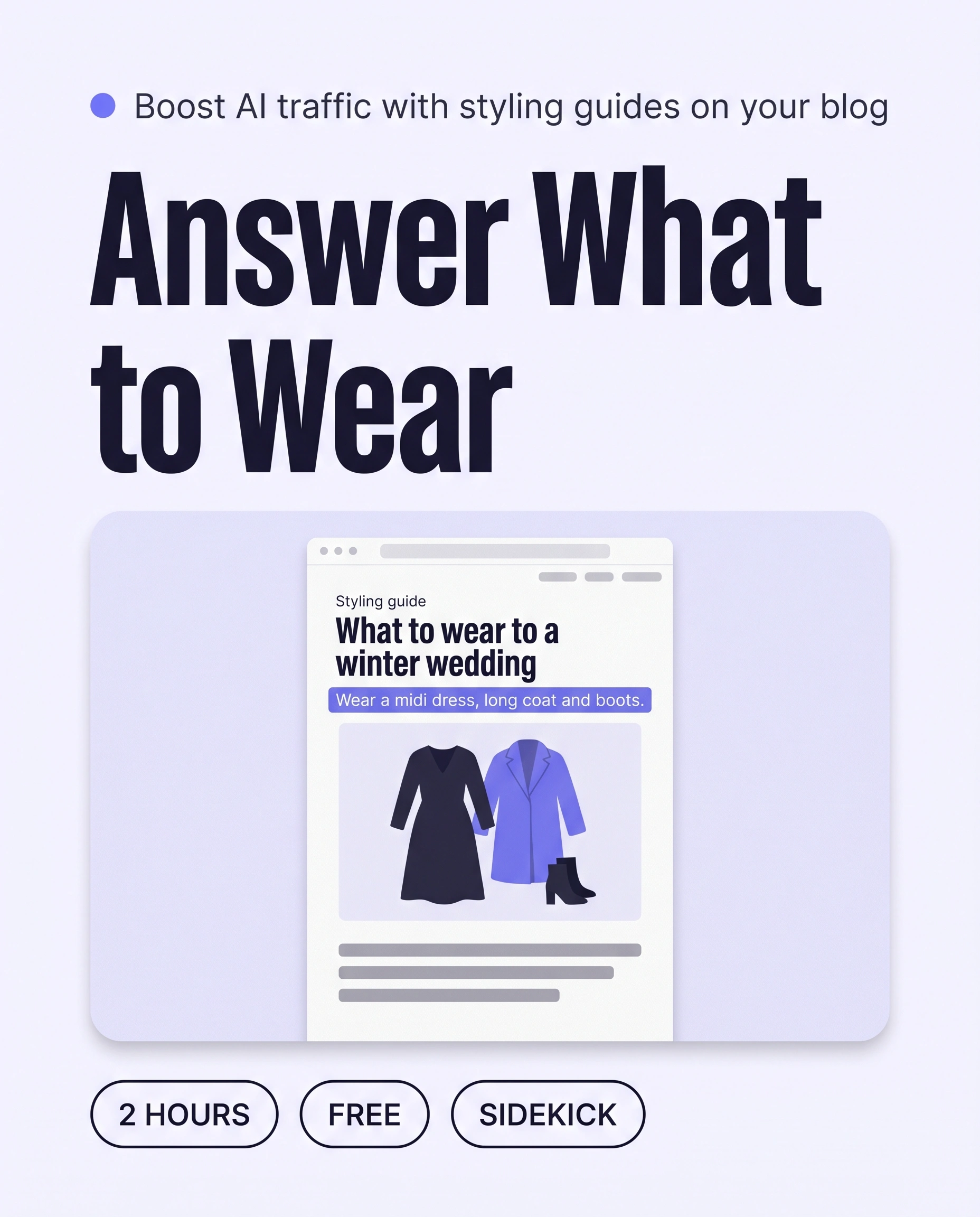
Write three to five styling guides on your Shopify blog, each answering one “what to wear to…” question with a clear outfit, the reasons and links to your own pieces. Draft them with Sidekick or Claude, then edit every line. AI assistants can then cite your brand when shoppers ask what to wear.
Time: about 2 hours for three guides
Cost: free
Developer: not needed
A shopper asks an AI assistant, “What should I wear to a winter wedding in the countryside?” If your site has only product pages, the assistant has nothing to cite, and a magazine or forum gets the mention instead.
A styling guide is a page on your own site that answers one “what to wear” question in your brand’s voice, with a clear outfit, the reasons it works and links to the pieces. This guide grows AI Traffic, meaning visits from AI assistants and search, so more shoppers arrive with a styling need your brand already answers.
This guide is about getting found. To keep shoppers exploring once they land, read How to Add Shop by Occasion to Your Shopify Store.
Part of Grow Your Shopify Fashion Store with Styling: Salesperson to Stylist, our guide to turning a Shopify fashion store from a salesperson into a stylist.
In this guide
A salesperson
lists products and leaves the shopper to work out the outfit.
A stylist
answers the question and shows the whole outfit.
Why do styling guides get a brand cited by AI assistants?
Styling guides get cited because shoppers ask AI assistants outfit questions, and a guide answers the question in full.
Google says AI Overviews and AI Mode may run several related searches across subtopics, then link to supporting pages (Google Search Central, 2025). “What to wear to a winter wedding” splits into shoes, coats and fabrics, and one guide can answer every part.
25.7%
Pages cited by AI assistants were 25.7% newer, on average, than pages in Google’s organic results, across about 17 million citations. Google’s AI Overviews were the exception.
Source: Ahrefs, 2025, AI assistants prefer to cite fresher content
40%
Adding citations, quotations and statistics to a page raised its visibility in AI answers by up to 40%. Keyword stuffing gave little or no gain.
Source: Aggarwal et al., 2024, GEO: Generative Engine Optimization (KDD 2024)
OtterlyAI, which analysed more than one million AI citations in early 2026, reported that AI engines favour informational pages over transactional ones (OtterlyAI, 2026). No guide guarantees a citation, because each platform weighs its own factors.
What does a good styling guide look like?
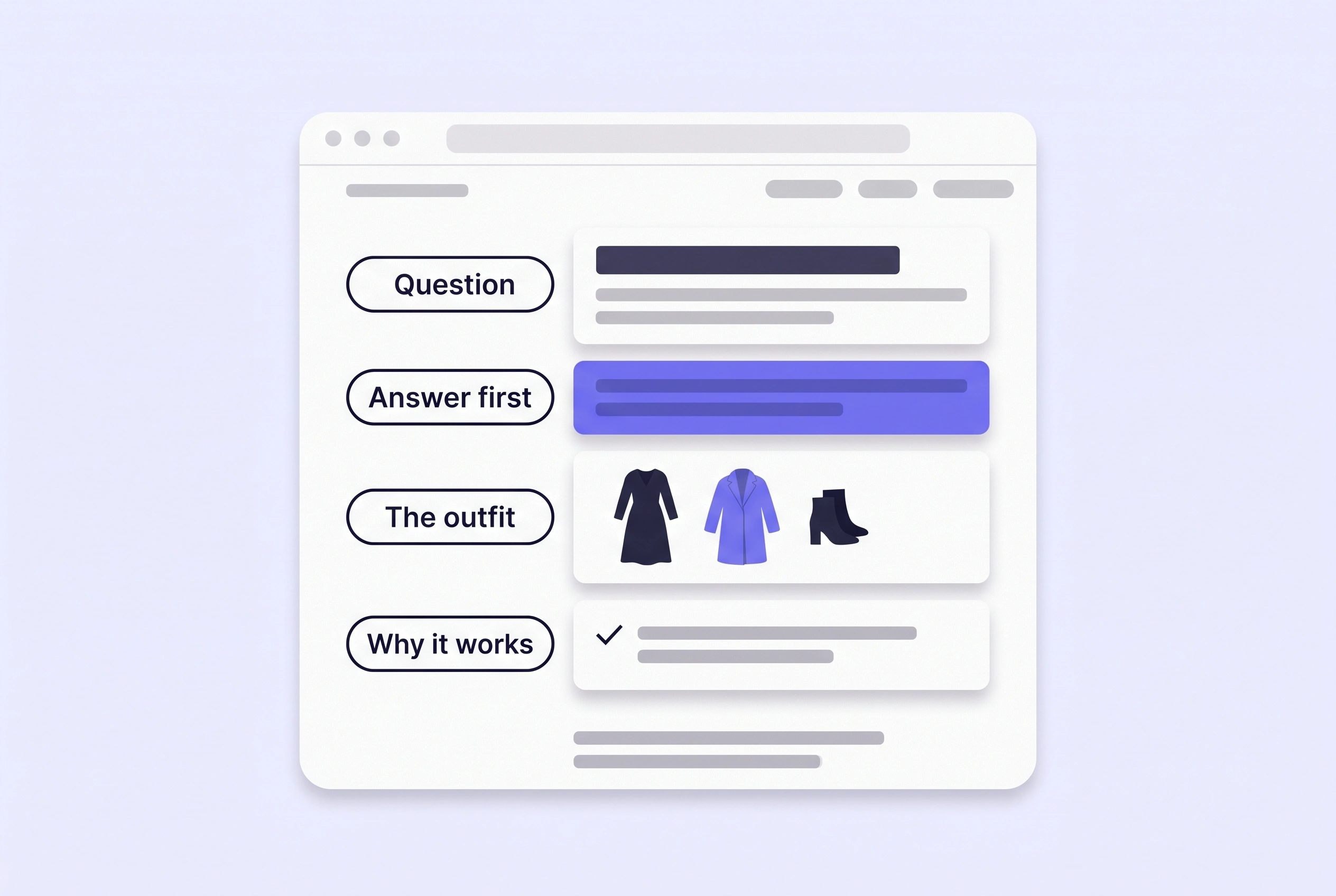
A good styling guide answers one question in its first sentence, then shows the outfit, the reasons and the pieces.
Keep each guide to one question and one outfit. Use the same fixed occasion list as your product descriptions: wedding guest, workwear, holiday, party, date night and everyday. State only facts true of your pieces, in text, not only in an image.
This table shows an imagined guide, not a real store:
| Part | What it holds | Imagined example |
|---|---|---|
| Title | The question, in a shopper’s words | What to Wear to a Winter Wedding in the Countryside |
| First sentence | The answer, in one line | Wear a midi dress in a heavy fabric with a long coat and block-heel boots. |
| The outfit | Three to five pieces, each linked to its product page | Dress, coat, boots, bag, scarf |
| Why it works | One fact per piece: fabric, fit or colour | The wool-blend coat keeps an outdoor ceremony comfortable. |
Not worth it if
Stores with under 20 products, or one occasion such as bridal, can write one guide that covers the whole range.
How do I check my store in two minutes?
Ask an AI assistant three styling questions your shoppers ask, then check whether your site has a page that answers each one.
- Pick three questions. Write three “what to wear to…” questions for occasions you sell for.
- Ask an AI assistant. Type each into ChatGPT, Gemini or Perplexity and note whether your site appears among the sources. Treat it as a signal, not a score.
- Search your own blog. Open
Content › Blog postsin your Shopify admin and look for a post whose title answers each question.
Check this on your store with the free Styling Score
Bots walk your store like a shopper. You get a score out of 100, a tier and a report.
How do I write a styling guide by hand in Shopify?
By hand, one styling guide takes about 75 minutes: pick the question, build the outfit from your catalogue, write it and publish it.
- Choose the question. Take one occasion and write the question a shopper would type, such as “What should I wear to a daytime wedding in October?”
- Build the outfit. Pick three to five pieces from your catalogue. Note one fact per piece from its product page: fabric, fit or colour.
- Write the guide. Go to
Content › Blog postsand click Add blog post. Use the question as the title. Write the answer first, then the outfit, why it works, what to avoid and a fit note per piece. - Link the pieces. Link each piece to its product page, so the guide sends shoppers to the clothes.
- Set the details. Add an image, an excerpt and tags. In the Search engine listing preview, click the pencil icon and write a page title under 70 characters and a description under 320.
- Publish and add to your menu. In Visibility, choose Visible and click Save; new posts stay hidden until then. Then go to
Content › Menus, open your main menu, click Add menu item, link your blog as “Styling guides” and click Save menu.
How do I write styling guides faster with an AI agent?
An AI agent can draft a styling guide in minutes, and you approve the outfit before it writes a single word.
Use Shopify Sidekick, the Shopify connector for Claude, or the Shopify plugin for ChatGPT. All follow the same five steps.
- ReadThe pieces in one collection, for one occasion
- ProposeA table of outfit pieces, nothing written
- ApproveYou edit the table and reply apply
- WriteThe guide draft, from the approved pieces only
- VerifyCheck every link and fact on a phone
Read every line before you publish
Shopify says generated text can include benefits you never listed and that you are responsible for what you publish. Check each claim against the product page (Shopify Help Center, 2026).
Copy the prompt for your tool.
Write a styling guide that answers this shopper question: [What should I wear to a daytime wedding in October?]

Occasion, from this list only: wedding guest, workwear, holiday, party, date night, everyday.
Choose 3 to 5 active products from my store that work together as one outfit for this occasion. Start with the collection [Dresses], then add pieces from my other collections.
Use only facts already on the product pages: title, description, fabric, colour, fit. Do not invent details.
When I reply "apply", write the guide as a draft in this order: a one-sentence answer, the outfit, why each piece works, what to avoid, and a fit note per piece. Keep it under 700 words.
Write in my brand voice. Two examples of my own sentences:
- "[YOUR EXAMPLE 1]"
- "[YOUR EXAMPLE 2]"

Never change or delete any product, price, inventory or discount. Do not publish anything.

Show me a table first: piece, product link, one fact from its product page, why it suits the occasion.
Do not write the guide until I reply "apply".
Nothing is written or changed until you reply apply.
Using the Shopify connector, read the active products in my Shopify store, starting with the collection [Dresses].

Write a styling guide that answers this shopper question: [What should I wear to a daytime wedding in October?]
Occasion, from this list only: wedding guest, workwear, holiday, party, date night, everyday.
Choose 3 to 5 products that work together as one outfit for this occasion.
Use only facts already on the product pages: title, description, fabric, colour, fit. Do not invent details.
When I reply "apply", write the guide in this order: a one-sentence answer, the outfit, why each piece works, what to avoid, and a fit note per piece. Keep it under 700 words.
Write in my brand voice. Two examples of my own sentences:
- "[YOUR EXAMPLE 1]"
- "[YOUR EXAMPLE 2]"

Never change anything in my store. I will paste the draft into my Shopify blog myself.

Show me a table first: piece, product link, one fact from its product page, why it suits the occasion.
Do not write the guide until I reply "apply".
Mention Shopify by name so the assistant uses the connector.
- Run it for one occasion. Open Sidekick from any page in your Shopify admin, paste the prompt and read the table.
- Edit the table, reply apply, then edit the draft. Swap any piece you would not style yourself and rewrite any line that could describe any dress. Then follow steps 4 to 6 of the by-hand method to link the pieces and publish.
Claude and ChatGPT handle your store data under their providers’ terms.
How do I keep styling guides fresh?
Review each styling guide once a season, swap any sold-out piece and change the Updated date only when the content changes.
Ahrefs found AI assistants cite fresher pages, yet the average cited page was still about 2.9 years old, so freshness is one factor among many (Ahrefs, 2025).
- Check the pieces. Open each linked product page and replace any piece that is sold out.
- Update the guide and its date. Edit the post in
Content › Blog posts, fix the lines the swap affects and update the date on the page. - Add a guide per launch. When a new collection arrives, write one guide for the occasion it suits best.
Which apps can help?
Start with the blog and Sidekick built into Shopify. Add a blog app only if you want drafts generated from a keyword.
| App | What it does | Price | Checked | Best for |
|---|---|---|---|---|
| Shopify blog posts | Hosts guides, with excerpt, tags and search listing | Built into Shopify | Oct 15, 2026 | Publishing |
| Shopify Sidekick | Drafts a blog title and content in the editor | Built into Shopify | Oct 15, 2026 | First drafts |
| Shopify connector for Claude | Reads products so Claude can propose outfits; paste the draft yourself | Claude plan terms apply | Oct 15, 2026 | Claude users |
| BloggedAi | Drafts a post from a keyword, with product links | Free plan (1 blog); paid from $29/month | Oct 15, 2026 | Keyword drafts |
| StoreBlog: AI Blog & SEO | Generates posts with product cards and internal links | Free plan (5 posts); paid from $19.99/month | Oct 15, 2026 | Posts with product cards |
What happens after AI sends the shopper?
After AI sends her to a styling guide, the shopper needs a way into the pieces, so the next job is keeping her exploring.
Keep her browsing with How to Add Shop by Occasion to Your Shopify Store (Engagement), then remove the last doubt with How to Add Styling Tips to Product Pages to Raise Conversion (Conversion Rate).
How long does it take and what does it cost?
Three styling guides take about 2 hours with an AI agent or 4 hours by hand, and the Shopify tools are free.
These times are estimates for a first batch.
| Route | Time | Cost | Skills needed |
|---|---|---|---|
| By hand | 75 minutes per guide; 4 hours for three | Free | Writing and editing |
| With an AI agent | 40 minutes per guide; 2 hours for three | Free with Sidekick; your own plan for Claude or ChatGPT | Reading a table, editing a draft |
| With an app | 30 minutes per guide, plus editing | Free plans; paid from $19.99/month | Editing long drafts |
How do I know it’s fixed?
The fix is working when your main occasions each have a styling guide and AI-referred visits rise over several weeks.
Run the free Styling Score again once your first three guides are live and check the AIT-04 card.
Check this on your store with the free Styling Score
Bots walk your store like a shopper. You get a score out of 100, a tier and a report.
In Google Search Console, traffic from AI Overviews and AI Mode counts in the Web search type of the Performance report (Google Search Central, 2025). In your analytics, look for AI-assistant visits landing on your guides, and compare the 30 days before and after you publish.
Orders from AI channels also show channel attribution in your Shopify admin (Shopify Help Center, 2026). Judge the trend over several weeks, not days.
Where does this fit in AI Traffic?
AI Traffic has five factors, and this guide covers the fourth.
- AIT-01Product descriptions name the occasionOccasion lines that match “what to wear to…” questions.
- AIT-02Product names say what the item isTitles that name the piece, so AI and Google can find it.
- AIT-03Collection pages explain the need they serveCollection descriptions written around the shopper’s need.
- AIT-04Styling guides on the siteGuides that AI assistants can cite when people ask what to wear.You are here
- AIT-05The brand’s style in plain wordsA plain description of your style for AI to repeat.
Part of Grow Your Shopify Fashion Store with Styling: Salesperson to Stylist, our guide to turning a Shopify fashion store from a salesperson into a stylist.
What else do founders ask about styling guides?
Founders most often ask these six questions.
How many styling guides do I need?
Start with three: your best-selling occasion, your second-best and one question shoppers often ask you. Add a guide with each new collection. Each guide should answer one question completely, so three focused guides do more than one long page. Check which earn visits before writing the next batch.
How long should a styling guide be?
Long enough to answer the question completely, usually 500 to 800 words as a starting point. Open with the answer in one sentence, then give the outfit, the reasons and what to avoid. Length is not the goal: a guide that answers each part once, clearly, is the one an assistant can quote.
Do AI assistants cite a small fashion brand’s own blog?
They can, but nobody can promise it. Google says AI features need no extra requirements beyond being indexed and eligible for a snippet. One 2026 study found AI engines favour informational pages over transactional ones, so a guide on your own domain gives an assistant something to cite.
Do I need schema or special markup?
No. Google says there is no extra schema.org structured data to add and no new machine-readable files to create for its AI features. The page needs to be indexed, eligible for a snippet and written as text, so keep the outfit and the reasons in words, not only in an image.
Can I use AI to write my styling guides?
Yes, as a first draft. Shopify says you are responsible for the accuracy of what you publish, and generated text can include benefits you never listed. Give the agent your approved outfit table, limit it to facts on the product pages and rewrite any line that could describe any dress.
How do I know if a styling guide is working?
Compare the 30 days before and after you publish. Check visits from AI assistants in your analytics, impressions and clicks in Google Search Console, and clicks from the guide to its products. Judge the trend over several weeks, because new pages take time to be found and indexed.
Sources
- Google Search Central, AI features and your website (Dec 10, 2025)
- Ahrefs, AI Assistants Prefer to Cite Fresher Content (2025, updated Apr 27, 2026)
- Aggarwal et al., GEO: Generative Engine Optimization (KDD 2024)
- OtterlyAI, The AI Citation Economy (Feb 1, 2026)
- Shopify Help Center, Adding and managing blog posts
- Shopify Help Center, Automatically generating blog posts
- Shopify Help Center, Set up drop-down menus
- Shopify Help Center, Sidekick
- Shopify Help Center, Shopify connector for Claude
- Shopify Help Center, Shopify agentic storefronts
- Shopify App Store listings: BloggedAi and StoreBlog: AI Blog & SEO
AI Traffic
Check every AI Traffic factor on your store
The free Styling Score walks all five AI Traffic factors and shows where your store stands.
Master pillar
From a salesperson into a stylist
Our guide to turning a Shopify fashion store from a salesperson into a stylist.