

At a glance
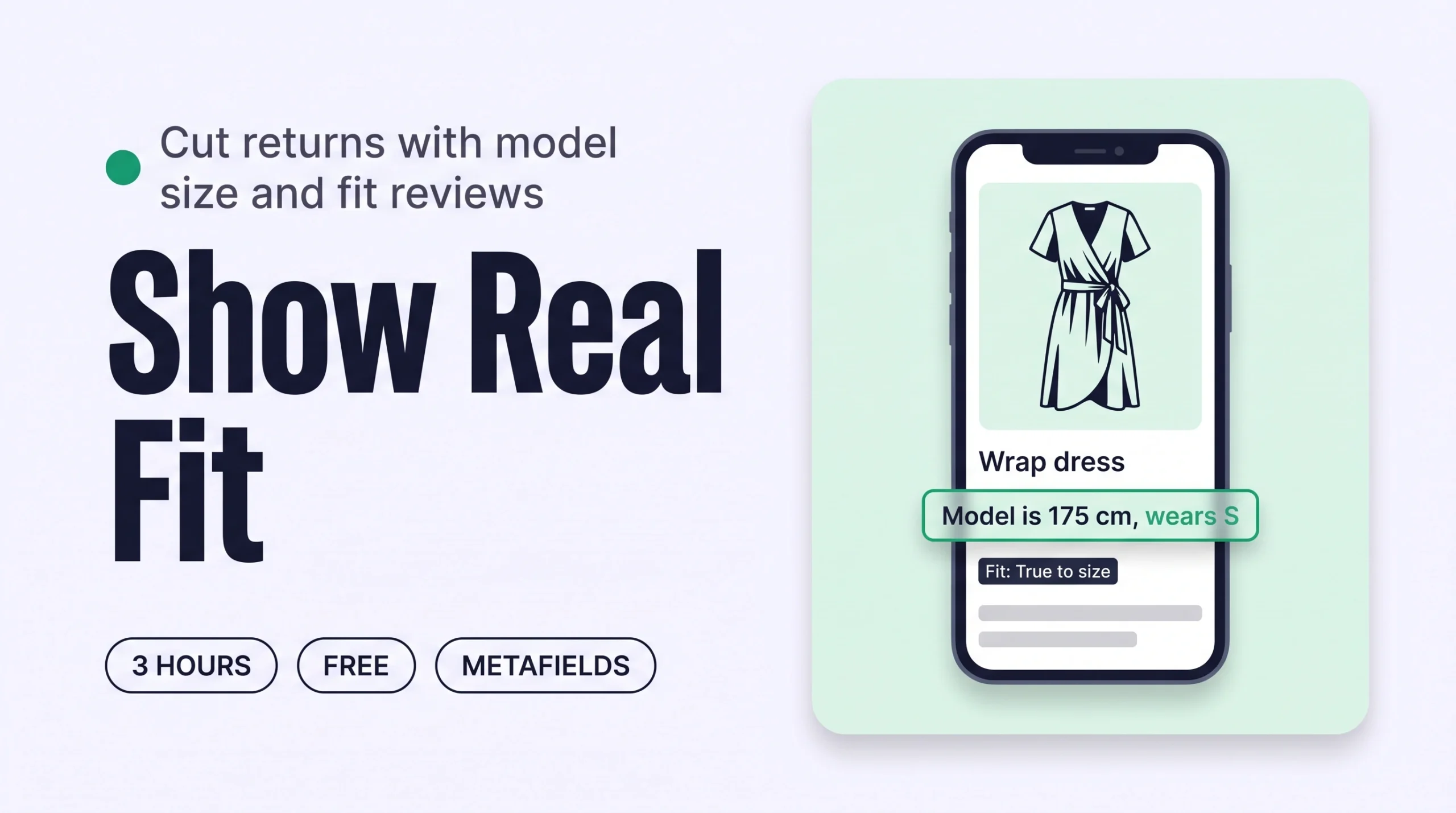
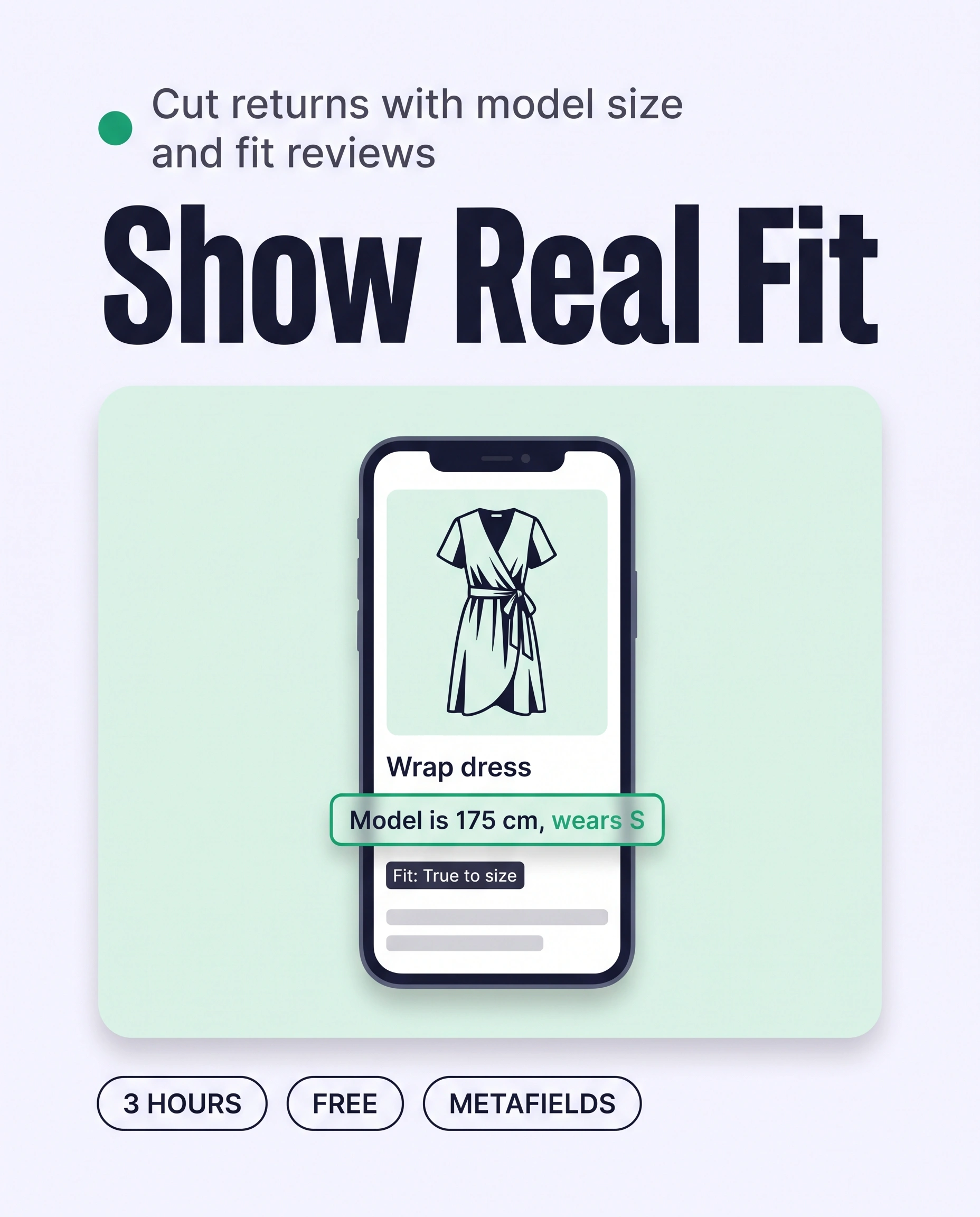
Fit from real people means every product shows the model’s height and the size she wears, plus fit feedback from real buyers. Save model details in a Shopify metafield, add one fit question to your review app, and show both beside the size selector. Shoppers judge their own size with evidence, so fewer orders come back.
Time: about 3 hours
Cost: free to $15/month
Developer: not needed
A shopper falls for a wrap dress worn by a model. She cannot tell how tall the model is or which size she wears, so she cannot tell which size to order. She orders two and sends one back.
Fit from real people is proof of fit from people who have worn the piece: the model’s height and the size she wears, plus fit feedback from real buyers. Return is the stage this guide fixes. It tracks the share of orders sent back, and size or fit is the most common reason. Fewer wrong-size orders mean more of the sales you have already won are kept.
This guide is about fit proven by real people. To show how a piece looks on different body types, read How to Show Clothes on Different Body Types on Shopify to Raise Conversion. For the written verdict on each piece, read How to Write Fit Notes on Shopify Product Pages to Cut Size Returns.
Part of Grow Your Shopify Fashion Store with Styling: Salesperson to Stylist, our guide to turning a Shopify fashion store from a salesperson into a stylist.
In this guide
A salesperson
shows a model photo and says it fits.
A stylist
tells her the model is 175 cm and wears a small, and what buyers say about the fit.
Why do model size and fit reviews cut returns?
Model size and fit reviews cut returns because they give a shopper two proofs a size chart cannot: how the piece fits a known body, and how it fit people who bought it.
A size chart lists centimetres. A model’s height and size worn turn those numbers into a body the shopper can compare with her own. A buyer’s fit answer adds what happened after delivery.
70%
In a February to March 2026 survey of 212 US shoppers who had returned online apparel, about 70% gave size or fit as the reason.
Source: Coresight Research, 2026, Shifting the Size and Fit Paradigm (sponsored by Alvanon)
17%
Only 17% of desktop apparel sites, and 13% of mobile apparel sites, give shoppers sufficient sizing information in Baymard Institute’s testing.
Source: Baymard Institute, 2022, Apparel: 10 Best Practices on Sizing
Baymard’s best practice is to provide the model’s measurements and the size worn alongside the model image (Baymard Institute, 2022). Most stores do neither, so a store that does both stands out.
What does fit from real people look like?
Good fit from real people shows the model’s height and size worn on every product, plus a fit answer from past buyers beside the reviews.
This illustrative before and after uses an imagined store, not a real one:
| Version | What a shopper finds |
|---|---|
| Before | A photo of a model and a size chart, but nothing about how tall the model is, which size she wears or how the piece fit anyone who bought it. |
| After | Under the size selector: “Model is 175 cm (5’9″) and wears size S.” In the reviews, each answer shows as “Fit: True to size”, and shoppers can filter by it. |
Three parts make the proof. The model’s height and the size she wears come from your shoot sheet. The buyers’ fit answers come from one question in the review form. Add the model’s usual size when you know it, so shoppers can see how the piece runs.
Not worth it if
A store that sells one-size pieces, such as scarves and bags, can skip this. A store with no reviews yet should add model details first and the fit question once orders arrive.
How do I check my store in two minutes?
Open three best sellers on your phone and check whether each one names the model’s height and size worn, and shows a fit answer in the reviews.
- Open three best sellers. On your phone, open a dress, a top and an outer layer, or your three biggest categories.
- Look near the size selector. Find a line such as “Model is 175 cm and wears S” that you can read without opening a photo.
- Open the reviews. Look for a fit answer, such as runs small, true to size or runs large, not only star ratings.
Check this on your store with the free Styling Score
Bots walk your store like a shopper. You get a score out of 100, a tier and a report.
How do I add model details and fit reviews with an AI agent?
An AI agent can match your shoot sheet to 20 products at a time, but it can only use the heights and sizes you give it.
Your photographer’s shoot notes already hold the model’s height and size. Do model details first, because they need no new data from shoppers. Then add one fit question to your reviews.
How do I show the model’s height and size worn?
Back up and duplicate your theme first
Export a CSV first: Products › Export, then choose all products. Before you change the product page, work on a duplicate of your theme.
- Create the Model details field. In your Shopify admin, go to
Settings › Metafields and metaobjects › Products, click Add definition, name it Model details, choose the Single line text type and save. - Show it beside the size selector. In
Online Store › Themes › Edit theme, choose the Products template, add a Text block under the size selector and connect it to the Model details field with the dynamic source icon. Your theme must support dynamic sources. - Test an empty field. Open a product with no model details on your phone and check that no empty box shows.
- ReadThe 20 newest products in one collection
- ProposeA table of model details, nothing written
- ApproveYou fix every row and reply apply
- WriteOnly the approved rows
- VerifyOpen five products on a phone
Products: [the 20 newest products in the collection Dresses]

Here is my shoot sheet. Match each row to a product by its title:
[Paste your sheet, one line per product, for example:
Linen Wrap Dress | model 175 cm | wears S | usual size S]

For each matched product, write the model details as one line in this format only:
Model is 175 cm (5'9") and wears size S.
Add "Usual size: M" only if my sheet gives it.
Use only the height and size from my sheet. Do not guess a height, a size or a measurement.
If a product has no row in my sheet, write "Ask me" instead.

Show me a table first: product, model details line, the sheet row you used.
When I reply "apply", save each approved line in the Model details product metafield. If you cannot set that metafield, give me the approved lines as a two-column table I can paste into the bulk editor.
Do not change anything until I reply "apply".
In Claude or ChatGPT, begin with “Using the Shopify connector, read”. Export a CSV backup first.
- Run it on 5 products first. Open Sidekick from any page in your Shopify admin, paste the prompt and read the table.
- Fix the table, then reply apply. Replace every “Ask me” with the real height and size, and correct any row matched to the wrong product.
- Open five products on your phone. Check each line reads naturally beside the size selector, then run the next batch of 20.
Write it on the shoot sheet on shoot day
Add the model’s height and the size she wears to the sheet for every shoot, on the day. Months later, nobody remembers which size was pinned on which piece.
How do I collect fit reviews from real buyers?
A fit answer is a one-click question buyers answer inside the review form. Judge.me offers it as Custom questions on its Awesome plan, which cost $15/month on its Shopify listing on Oct 19, 2026. Other review apps have similar fields, so check your app’s Help Center before you pay for an upgrade.
- Create a template. In Judge.me, go to
Settings › Widgets › Write a Review › Custom questionsand click Create template. - Choose where it appears. Under “Choose where these questions will be added”, select Tagged products and enter a tag such as
fit-question, or select Products without tags. - Add the question. Click + Add question. Write “How did the product fit? Choose one.”, set the Description label to Fit and the Question type to Multiple choice.
- Add three options. Click + Add option for Runs small, True to size and Runs large.
- Turn on filtering and go live. Enable Allow filtering for this question and click Save. Scroll to the top, select Activate and click Save again.
Multiple choice lets a buyer pick more than one option, which is why the question says “Choose one”. Ask for the answer in your post-purchase review email too, because most buyers leave a review only when asked.
How do I turn fit answers into a summary?
Once a product has about 10 answers, export its reviews from your app, delete reviewer names and emails, and let Claude or ChatGPT count them. Use the result to check your fit note against what buyers say.
Here are the fit answers and review text for the product [Linen Wrap Dress], exported from my review app. Reviewer names and emails are removed:
[Paste the rows: reviewer height, size bought, fit answer, review text]

Summarise how this product fits in one line of 25 words or fewer. Start with one label from this list only:
Runs small. / True to size. / Runs large.
Add the count behind the label, for example "True to size (31 of 40 buyers)".
If fewer than 5 buyers answered, write "Not enough answers yet".
Do not quote a reviewer. Do not invent an answer.

Show me a table first: product, label, count, the answers you used.
Do not change anything until I reply "apply".
This prompt only reads what you paste in. It cannot change your store.
How do I add model details by hand, if I prefer?
By hand, model details take about 1 minute per product once you have the shoot sheet in front of you.
- Collect the facts. Find the model’s height and the size she wears for each shoot, in your shoot sheet or photographer’s notes.
- Write the line. Use one format on every product: “Model is 175 cm (5’9″) and wears size S.”
- Add it to the product. Open the product, scroll to Product metafields, click Model details, type the line and click Save.
- Or fill many at once. On the Products page, select products and click Edit products, then Columns. Tick Model details in the Metafields section, type down the column and click Save.
- Check on your phone. Confirm the line shows beside the size selector.
Without a reviews app, ask buyers by email a week after delivery: “How did it fit? Reply runs small, true to size or runs large.” Paste the answers into the product’s fit note.
How do I keep model details current as new products arrive?
Shopify Flow can tag every new product that needs model details, and a weekly run fills them from your shoot sheet.
Shopify Flow is a free app on the Basic, Grow, Advanced and Plus plans. Fit answers need no upkeep, because each new review adds one. Model details do, because a new product has none until you add the shoot row.
- Tag new products. Open
Apps › Flow, start a new workflow, choose the trigger Product created and the action Add product tags, enterneeds-model-details, then turn the workflow on. - Or ask Sidekick to build it. Paste the prompt below into Sidekick inside Flow, review the workflow it opens, then turn it on yourself.
Create a workflow that starts when a product is created and adds the product tag needs-model-details.Sidekick builds the workflow for you to review. It stays inactive until you turn it on.
Run it weekly: save the model-details prompt above as a Sidekick skill, swap its product line for “Products: up to 20 products tagged needs-model-details”, paste the new shoot-sheet rows and run it once a week. Approve the table, then ask Sidekick to remove the tag from each product it finishes.
Which apps can help?
Start with the tools built into Shopify for model details. Add a review app only for the buyers’ fit answers.
| App | What it does | Price | Checked | Best for |
|---|---|---|---|---|
| Native Shopify (metafield + theme block) | Shows the model’s height and size worn as text beside the size selector | Free | Oct 19, 2026 | Model details on every product |
| Judge.me Product Reviews | Collects reviews with photos and, on the Awesome plan, multiple-choice custom questions with filtering | Free plan; Awesome plan $15/month | Oct 19, 2026 | A fit question in the review form |
| Okendo | Collects and shows product reviews with photos and video | Free plan to $299/month | Oct 19, 2026 | Larger catalogues; check your plan for custom questions |
| Loox | Collects photo reviews and shows them in a widget | Free plan; Convert plan $49.99/month | Oct 19, 2026 | Photo reviews; check your plan for custom questions |
The personal layer
Every shopper has a different body.
Model details and fit answers tell every shopper the same thing: how the piece fit a 175 cm model and what past buyers said. They cannot tell one shopper, who is 163 cm and between sizes, which size to pick. A personal AI stylist can, because it answers one shopper at a time from your own catalogue, your model details and your fit answers.
iWAND is an AI stylist for independent fashion brands on Shopify. It gives every shopper a personal stylist, with outfits, styling advice, try-on and size help built on the brand’s own catalogue.
iWAND is our product. Free to install; iWAND charges 5% only on the sales it makes.
Read: Grow Your Shopify Fashion Store with Styling: Salesperson to Stylist
How long does it take and what does it cost?
Adding model details to 60 products takes about 3 hours with an AI agent, and it is free; the fit question needs a review-app plan, $15/month on Judge.me.
These times are estimates for a first batch, not measured results.
| Route | Time | Cost | Skills needed |
|---|---|---|---|
| By hand | About 4 hours for 60 products: 30 minutes of set-up, 2 hours finding heights and sizes, 1 hour typing, 30 minutes for the fit question | Free for model details; review-app plan for the fit question | Reading a shoot sheet, editing in the Shopify admin |
| With an AI agent | About 3 hours for 60 products: 30 minutes of set-up, 1.5 hours finding heights and sizes, 30 minutes reviewing three batches of 20, 30 minutes for Flow and the fit question | Free with Sidekick; your own plan if you use Claude or ChatGPT | Reading a table, checking rows against the sheet |
| With an app | About 30 minutes to add the fit question to a review app; you still add model details | $15/month on Judge.me; other apps vary | Following the app’s setup flow |
How do I know it’s fixed?
The fix is working when every product shows the model’s height and size worn, and new reviews carry a fit answer.
Run the free Styling Score again once your model details are live, and check the RET-03 card for this factor.
Check this on your store with the free Styling Score
Bots walk your store like a shopper. You get a score out of 100, a tier and a report.
Then watch size and fit returns on the products you updated, using your returns app if it records reasons. Compare the 4 to 6 weeks before and after on the same products. Fit answers build slowly, so expect weeks, not days, before a product has enough to summarise.
Where does this fit in Return?
Return has four factors, and this guide covers the third.
- RET-01Size guide for this pieceA size chart written for the garment type a shopper is actually looking at.
- RET-02Fit notesWritten notes on how a piece actually fits, not just its measurements.
- RET-03Fit from real peopleModel size worn and fit reviews from real buyers.You are here
- RET-04Does it suit me?Personal size and fit advice for one shopper, before checkout.
Part of Grow Your Shopify Fashion Store with Styling: Salesperson to Stylist, our guide to turning a Shopify fashion store from a salesperson into a stylist.
What else do founders ask about model size and fit reviews?
Founders most often ask these five questions.
What is fit from real people on a Shopify store?
Fit from real people is proof of fit from people who have worn the piece. It has two parts: the model’s height and the size she wears on each product, and fit feedback from real buyers, such as runs small, true to size or runs large. Both sit beside the size selector and the reviews, so shoppers can judge their own size.
What should I show about the model on a product page?
At minimum, show the model’s height and the size she wears, such as: Model is 175 cm (5’9″) and wears size S. Baymard Institute’s best practice is to place the model’s measurements and size worn alongside the model image. Add her usual size if you know it, and use the identical format on every product.
How do I collect fit feedback from real buyers on Shopify?
Add one multiple-choice question to your review form: how did the product fit, with runs small, true to size and runs large. Judge.me offers this as Custom questions on its Awesome plan, and other review apps may offer similar fields. Ask for the review in a post-purchase email, and turn on filtering so shoppers can sort by fit.
Can AI summarise fit reviews without inventing how a piece fits?
Yes, if you give it only the exported fit answers, remove reviewer names and emails first, and tell it to write “Not enough answers yet” when fewer than five buyers answered. Ask for the count behind every label, such as 31 of 40 buyers, and read the table before anything is saved to your store.
Can AI give each shopper personal size advice?
Model details and fit answers say the same thing to everyone. A personal AI stylist can use them to advise one shopper at a time from your own catalogue, including size help in the conversation. iWAND is our product. Free to install; iWAND charges 5% only on the sales it makes.
Sources
- Shopify Help Center. Adding metafield definitions. Checked Oct 19, 2026. https://help.shopify.com/en/manual/custom-data/metafields/metafield-definitions
- Shopify Help Center. Metafield content types and values. Checked Oct 19, 2026. https://help.shopify.com/en/manual/custom-data/metafields/metafield-definitions/metafield-types
- Shopify Help Center. Displaying metafields on your online store. Checked Oct 19, 2026. https://help.shopify.com/en/manual/custom-data/metafields/displaying-metafields-on-your-online-store
- Shopify Help Center. Editing metafields in bulk. Checked Oct 19, 2026. https://help.shopify.com/en/manual/custom-data/metafields/bulk-edit-metafields
- Shopify Help Center. Shopify Flow. Checked Oct 19, 2026. https://help.shopify.com/en/manual/shopify-flow
- Shopify Help Center. Product created (Flow trigger) and Add product tags (Flow action). Checked Oct 19, 2026. https://help.shopify.com/en/manual/shopify-flow/reference/triggers/product-added-to-store
- Shopify Help Center. Sidekick. Checked Oct 19, 2026. https://help.shopify.com/en/manual/ai-powered-tools/sidekick
- Shopify Changelog. Create Flow automations with Sidekick. Dec 11, 2025. https://changelog.shopify.com/posts/create-flow-automations-with-sidekick
- Judge.me Help Center. Collecting more insights with custom questions. Checked Oct 19, 2026. https://judge.me/help/en/articles/8420790-collecting-more-insights-with-custom-questions
- Coresight Research (sponsored by Alvanon). Shifting the Size and Fit Paradigm. May 19, 2026. https://s3.alvanon.com/attachments/2adac6dd-81b6-4aec-a3da-272295fb9b4e_Shifting_the_Size_and_Fit_Paradigm–Coresight_Research.pdf
- Baymard Institute. Apparel: 10 Best Practices on Sizing. Jul 6, 2022. https://baymard.com/research-articles/apparel-size-information
- Shopify App Store. Listings for Judge.me Product Reviews · Okendo · Loox. Checked Oct 19, 2026.
Return
Check every Return factor on your store
The free Styling Score walks all four Return factors and shows which are Done, Halfway or Not yet.
Master pillar
From a salesperson into a stylist
Part of Grow Your Shopify Fashion Store with Styling: Salesperson to Stylist, our guide to turning a Shopify fashion store from a salesperson into a stylist.