

At a glance
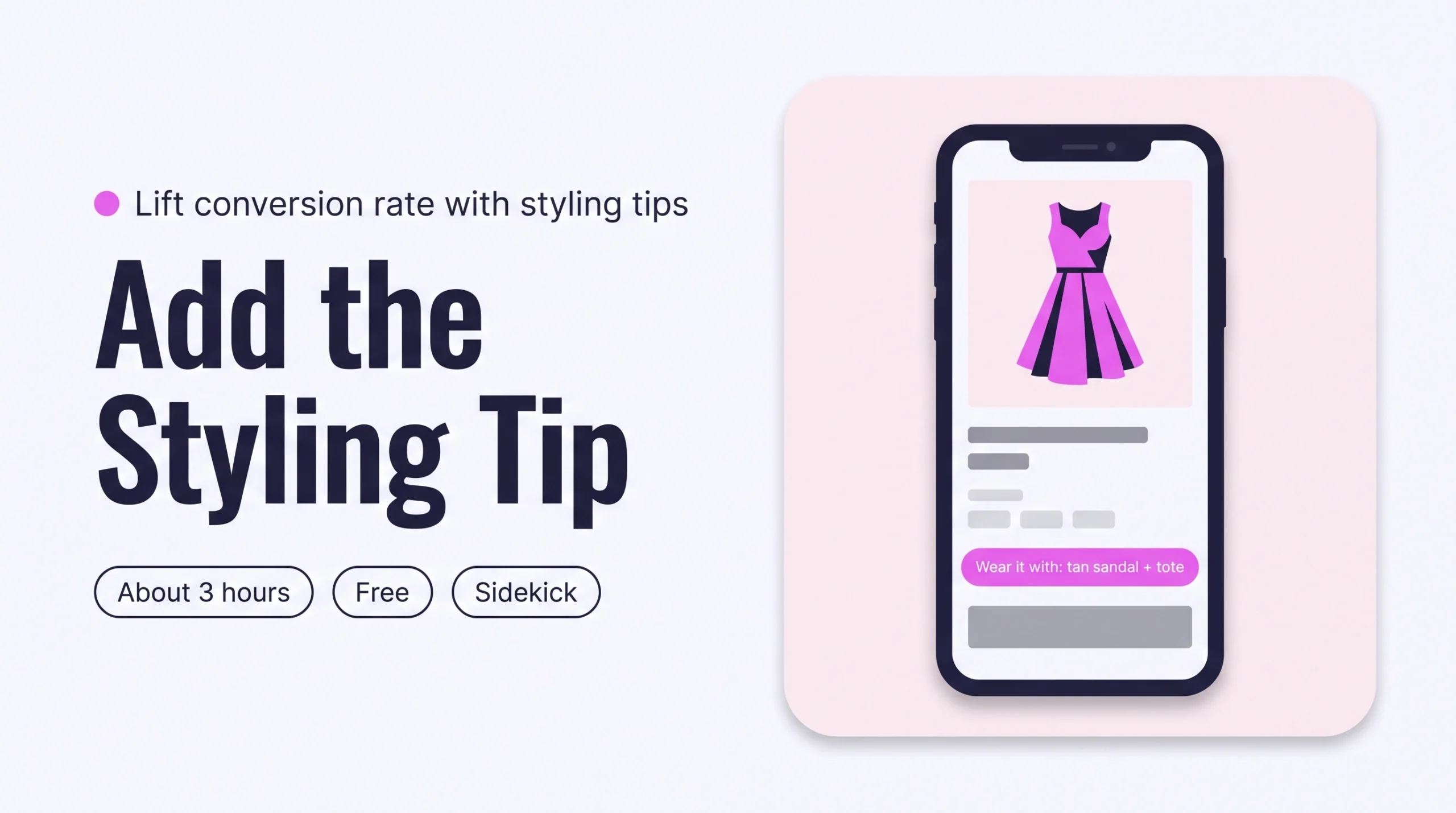
Add a short styling tip to each Shopify product page: two pieces to wear it with and one line on how to wear it. Have Sidekick or Claude draft the tips for 20 products, approve them in a table, then show them in a theme block. Shoppers lose their last doubt, so conversion rises.
Time: about 3 hours
Cost: free
Developer: not needed
A shopper opens a wrap dress page, likes it, and wonders what she would wear it with. The page does not say, so she leaves to think about it.
A styling tip is a two-line note on a Shopify product page that names what to wear the piece with and how to wear it. This guide is about removing that last doubt once shoppers land, which grows Conversion Rate: the share of visitors who buy.
To get found by AI assistants in the first place, read How to Write Shopify Descriptions That Get Your Clothes Recommended by AI.
Part of Grow Your Shopify Fashion Store with Styling: Salesperson to Stylist, our guide to turning a Shopify fashion store from a salesperson into a stylist.
In this guide
A salesperson
lists the fabric and leaves the shopper to work out what goes with it.
A stylist
tells her what to wear it with and how to wear it.
Why do styling tips raise conversion?
Styling tips raise conversion because they answer the question a shopper cannot ask a page: what would I wear this with?
Product pages usually list fabric, fit and sizes. Shoppers who cannot picture the finished outfit hesitate, and hesitation costs sales. Shoppers do look for answers on the page.
97%
97% of US shoppers read the questions and answers on a clothing product page at least occasionally, to settle doubts the description leaves open.
Source: PowerReviews, 2022, The State of Apparel & Footwear Shopping in 2022
The same survey covered 11,862 US shoppers. Presentation also matters. In a small 2024 experiment, an outfit shown on a body scored higher than the same pieces laid out flat. It tested 126 shoppers, so treat it as a signal, not proof that tips lift sales.
4.32 vs 3.45
Purchase intention scored 4.32 when coordinating pieces were shown worn together, against 3.45 when the same pieces were laid out separately.
Source: Qu and Baek, 2024, Fashion and Textiles
Baymard Institute found in usability testing that many shoppers skim or skip product descriptions, so key details held only in text can be missed (Baymard Institute, 2020). Give the tip its own block instead of burying it in the description.
What does a good styling tip look like?
A good styling tip names up to two pieces to wear the item with and one way to wear it, in under 40 words.
It names pieces the brand actually sells, uses only facts already true of the product, and follows the same two-line format on every page. This illustrative before and after uses an imagined dress, not a real store.
| Version | Product page text |
|---|---|
| Before | Midi wrap dress in crepe. Adjustable tie waist. Available in sage and navy. |
| After | Wear it with: the tan block-heel sandal and the structured tote. How to wear it: tie the waist at the back for a clean line, or leave it loose for a relaxed day look. |
Not worth it if
Stores with under 20 products can write the tips by hand and skip the agent and the Flow. Brands that sell one item with nothing to pair can skip this factor.
How do I check my store in two minutes?
Open five best sellers on your phone and check whether each tells the shopper what to wear the piece with and how.
- Open five best sellers. On your phone, open five best-selling product pages on your live store.
- Look near the buy button. Is there a line just above or below it that says what to wear the piece with?
- Check it names real pieces. A good tip names products you sell, not a phrase such as “goes with everything”.
- Look for the how. Find one line on how to wear it, such as tucked, layered or belted.
Check this on your store with the free Styling Score
Bots walk your store like a shopper. You get a score out of 100, a tier and a report.
How do I add styling tips with an AI agent?
An AI agent can draft a styling tip for 20 products in minutes, and you approve every tip before it is written.
Create one product field for the tip, ask the agent to fill it, then show it on the page. Use Sidekick, the Shopify connector for Claude, or the Shopify app for ChatGPT. All three follow the same five steps (Shopify Help Center, 2026).
Back up before you change anything
Export a CSV first: Products › Export, then choose all products. Before any theme layout change, work on a duplicate theme.
- ReadYour 20 best sellers in one collection
- ProposeA table of tips, nothing written
- ApproveYou edit the table and reply apply
- WriteOnly the approved tips
- VerifyOpen five products on a phone
- Create the Styling note field. Open any product, find the Metafields section and click Add definition. Name it
Styling note, choose Multi-line text, and click Save. Shopify generates a key such ascustom.styling_note(Shopify Help Center, 2026). - Copy the prompt that matches your tool. Write two tips yourself first and paste them in as your voice.
Products: [the 20 best sellers in the collection Dresses]

For each product, write one styling tip of 25 to 40 words for its product field Styling note, in two lines:
Wear it with: up to 2 active products from my catalogue, from other product types than this one, named exactly as listed.
How to wear it: one sentence of 20 words or fewer.
Use only facts already on the product: title, description, fabric, colour, fit and details. Do not invent features.
Write in my brand voice. Two examples of my own tips:
- "[YOUR EXAMPLE 1]"
- "[YOUR EXAMPLE 2]"

Change only the Styling note field. Never touch prices, inventory or discounts. Never delete a product, image or description.
When I reply "apply", write each approved tip to the Styling note field of that product, and remove the tag needs-styling-tip if it has one.

Show me a table first: product, proposed Wear it with, proposed How to wear it, one-line reason.
Do not change anything until I reply "apply".
Export a CSV backup first. The prompt changes nothing until you reply apply.
Using the Shopify connector, read [the 20 best sellers in the collection Dresses] in my Shopify store.

For each product, write one styling tip of 25 to 40 words for its product metafield Styling note (custom.styling_note), in two lines:
Wear it with: up to 2 active products from my catalogue, from other product types than this one, named exactly as listed.
How to wear it: one sentence of 20 words or fewer.
Use only facts already on the product: title, description, fabric, colour, fit and details. Do not invent features.
Write in my brand voice. Two examples of my own tips:
- "[YOUR EXAMPLE 1]"
- "[YOUR EXAMPLE 2]"

Change only the Styling note metafield. Never touch prices, inventory or discounts. Never delete a product, image or description.
When I reply "apply", update the approved products one at a time. Write each approved tip to the metafield, and remove the tag needs-styling-tip if the product has one. Tell me which products are done.

Show me a table first: product, proposed Wear it with, proposed How to wear it, one-line reason.
Do not change anything until I reply "apply".
Mention Shopify by name so the assistant uses the connector. Export a CSV backup first.
- Run it on 3 products first. Open Sidekick from any page in your Shopify admin, paste the prompt and read the table.
- Edit the table, then reply apply. Rewrite any tip you would not say yourself. Sidekick presents changes for review before applying them, but read every row (Shopify Help Center, 2026).
- Paste the tips in if the tool cannot write the field. Go to
Products, tick the products, click Edit products, then Columns, and tick Styling note under Metafields. Paste each approved tip and click Save (Shopify Help Center, 2026).
Start with your best sellers
Best sellers carry the most traffic, so a tip there pays back first. Run the weekly batch on newer products afterwards.
A connected AI tool changes items one at a time, so keep batches to 20. In Claude, a change to metafields goes through the Shopify Admin API, so the connector asks you to confirm it and results vary more. Review the tips in your admin before you rely on them (Shopify Help Center, 2026). Data you share with Claude or ChatGPT is handled under that provider’s terms.
How do I show the tip on the product page?
Your theme must support JSON templates, as Online Store 2.0 themes do. Older themes need a Shopify Partner to add the field (Shopify Help Center, 2026).
- Open the theme editor. Go to
Online Store › Themes › Edit themeon your duplicate theme, then choose the Products template from the drop-down. - Add a text block. In the main product section, click Add block and choose a text block.
- Connect the field. Click the dynamic source icon next to the text setting and choose Styling note. If the field is missing from the list, your block may not support dynamic sources, or your theme may need a rich text field for that setting (Shopify Help Center, 2026).
- Place it near the buy button. Drag the block to sit close to the Add to cart button, then click Save.
- Check a product with no tip. An empty block can leave a gap, depending on your theme, so view one product that has no tip yet.
How do I add styling tips by hand, if I prefer?
By hand, a styling tip takes about 5 minutes per product: write two lines, paste them into the Styling note field and check the page on your phone.
- Open the product. Go to
Products, open a product and scroll to Metafields. - Write the tip. Type the Wear it with line and the How to wear it line in the Styling note field. Name pieces you sell.
- Save and check. Click Save, then open the page on your phone.
For many products, use the bulk editor with the steps above. In Microsoft Edge, bulk metafield edits can fail because of a limited URL length, so use Chrome, Firefox or Safari.
How do I keep styling tips up to date as new products arrive?
Shopify Flow can tag every new product, and a weekly run turns each tag into a styling tip.
The Flow and weekly steps match the occasion-line workflow, so the full version lives in our AI Traffic guide on keeping occasion lines up to date. In short: Shopify Flow is a free app on the Basic, Grow, Advanced and Plus plans (Shopify Help Center, 2026). Use the trigger Product created and the action Add product tags with the tag needs-styling-tip. Use a separate tag so the two jobs never collide.
Create a workflow that starts when a product is created and adds the product tag needs-styling-tip.Open Sidekick inside Flow on a desktop. The workflow stays inactive until you turn it on, so test it with a new product (Shopify Help Center, 2026).
- Run it weekly. Save the Sidekick prompt above as a skill:
Sidekick › plus icon › Skills › New Skill. Run it with “/” and its shortcut, and change the product line to “Products: up to 20 products tagged needs-styling-tip” (Shopify Help Center, 2026). - Check for dead ends monthly. Ask Sidekick or Claude to list tips that name an archived product. Rewrite those tips.
Which apps can help?
Start with the tools built into Shopify, and add a spreadsheet app only if you want to edit hundreds of tips in one grid.
| App | What it does | Price | Checked | Best for |
|---|---|---|---|---|
| Shopify Sidekick | Drafts the tips and builds the Flow from a description | Built into the Shopify admin | Oct 19, 2026 | Keeping everything in one place |
| Shopify Flow | Tags new products so none are missed | Free on Basic, Grow, Advanced and Plus | Oct 19, 2026 | Keeping tips current |
| Shopify Search & Discovery | Adds related and complementary products to product pages | Free | Oct 19, 2026 | Showing linked pieces beside the tip |
| Matrixify | Bulk updates metafields from Excel, CSV or Google Sheets | Free plan for 10 products per file; Basic $20/month | Oct 19, 2026 | Large catalogues edited in a spreadsheet |
| Setary | Spreadsheet editor for metafields, with preview and undo | $9.99/month, 7-day free trial | Oct 19, 2026 | Editing many tips without CSV files |
Setary launched in June 2026, so test it on a few products first.
The personal layer
Can every shopper get a tip written for her?
A styling tip says the same thing to every shopper. It cannot tell one shopper which shoes go with a dress she already owns, or which of two dresses suits her better. A personal AI stylist can, because it answers one shopper at a time from your own catalogue.
iWAND is an AI stylist for independent fashion brands on Shopify. It gives every shopper a personal stylist, with outfits, styling advice, try-on and size help built on the brand’s own catalogue.
iWAND is our product. Free to install; iWAND charges 5% only on the sales it makes.
Read: Answer “Will This Suit Me?” on Shopify Product Pages to Lift Conversion
How long does it take and what does it cost?
Adding styling tips to your 20 best sellers takes about 3 hours with an AI agent, and Sidekick makes it free.
These times are estimates for a first batch, not measured results.
| Route | Time | Cost | Skills needed |
|---|---|---|---|
| By hand | About 5 minutes per product, plus 30 minutes for the field and theme block | Free | Editing in the Shopify admin |
| With an AI agent | About 3 hours for 20 products, including the field, the theme block and your review | Free with Sidekick; your own plan if you use Claude or ChatGPT | Reading a table, approving rows |
| With an app | About 2 hours for 20 products, plus writing the tips | $9.99 to $20 a month | Working in a spreadsheet |
How do I know it’s fixed?
The fix is working when your best sellers show a styling tip near the buy button and conversion on them rises over about 30 days.
Run the free Styling Score again once your best sellers carry tips, and check the CVR-05 card for this factor.
Check this on your store with the free Styling Score
Bots walk your store like a shopper. You get a score out of 100, a tier and a report.
Then compare conversion on the updated products with similar products you have not changed. Use Analytics › Reports in your Shopify admin and wait 30 days.
Where does this fit in Conversion Rate?
Conversion Rate has five factors, and this guide covers the fifth.
- CVR-01See it worn, from every angleEvery angle, worn on a model.
- CVR-02Personalized styling adviceAdvice for one shopper.
- CVR-03See it on a body like mineThe piece on bodies like hers.
- CVR-04Fabric and feelFabric and feel, in words.
- CVR-05How to style itWhat to wear it with.You are here
Grow Your Shopify Fashion Store with Styling: Salesperson to Stylist
What else do founders ask about styling tips?
Founders most often ask these six questions.
What should a styling tip say?
A styling tip names up to two pieces to wear the item with and one way to wear it. Name pieces you actually sell, use only facts already true of the product, and keep the whole tip under 40 words. Use the same format on every product so shoppers learn where to look.
Where should I put the styling tip on the product page?
Put it in its own block near the Add to cart button, not inside the description. Baymard Institute found that many shoppers skim or skip descriptions, so tips buried there can be missed. Add the block in the theme editor with a text block connected to the Styling note field.
Do I need an app to add styling tips?
No. A product metafield, the theme editor and Sidekick are built into Shopify and cover the whole job. Shopify Flow is free on the Basic plan and above. Add a spreadsheet app such as Matrixify or Setary only if you want to edit hundreds of tips in one grid. Your theme must support JSON templates, as Online Store 2.0 themes do.
How do I stop AI-written tips sounding generic?
Give the agent two tips you wrote yourself and limit it to facts already on the product and pieces in your catalogue. Read every row before you reply apply. Rewrite any tip that could describe any dress. A specific setting, such as a garden party, sounds more human than a word like versatile.
What if a paired piece sells out?
A tip that names a sold-out or archived piece sends shoppers to a dead end. Once a month, ask Sidekick or Claude to list tips that name an archived product, then rewrite those. Name core pieces you restock, such as a best-selling trouser or shoe, so tips stay valid longer.
Can AI give each shopper her own styling advice?
Yes. A personal AI stylist answers one shopper at a time from your own catalogue, which a written tip cannot do. iWAND is one. iWAND is our product: free to install, and iWAND charges 5% only on the sales it makes. Keep the written tips too, because they help every shopper who browses without asking.
Sources
- PowerReviews. The State of Apparel & Footwear Shopping in 2022. July 2022. https://www.powerreviews.com/apparel-footwear-shopping-survey-2022/
- Qu, Y. and Baek, E. Assembled or unassembled? Different types of outfit coordination presentations in online fashion retailing. Fashion and Textiles 11, 8. 2024. https://fashionandtextiles.springeropen.com/articles/10.1186/s40691-024-00371-1
- Baymard Institute. Provide Images of Accessory, Apparel, and Cosmetic Products on a Human Model. December 1, 2020. https://baymard.com/research-articles/human-model
- Shopify Help Center. Creating custom metafield definitions. Checked Oct 19, 2026. https://help.shopify.com/en/manual/custom-data/metafields/metafield-definitions/creating-custom-metafield-definitions
- Shopify Help Center. Metafield content types and values. Checked Oct 19, 2026. https://help.shopify.com/en/manual/custom-data/metafields/metafield-definitions/metafield-types
- Shopify Help Center. Sections and blocks. Checked Oct 19, 2026. https://help.shopify.com/en/manual/online-store/themes/theme-structure/sections-and-blocks
- Shopify Help Center. Editing metafields in bulk. Checked Oct 19, 2026. https://help.shopify.com/en/manual/custom-data/metafields/bulk-edit-metafields
- Shopify Help Center. Sidekick. Checked Oct 19, 2026. https://help.shopify.com/en/manual/ai-powered-tools/sidekick
- Shopify Help Center. Using skills with Sidekick. Checked Oct 19, 2026. https://help.shopify.com/en/manual/ai-powered-tools/sidekick/skills
- Shopify Help Center. Connecting your Shopify store to AI tools. Checked Oct 19, 2026. https://help.shopify.com/en/manual/apps/connecting-ai-tools
- Shopify Help Center. Shopify connector for Claude. Checked Oct 19, 2026. https://help.shopify.com/en/manual/ai-powered-tools/connecting-ai-tools/shopify-connector-for-claude
- Shopify Help Center. Shopify Flow. Checked Oct 19, 2026. https://help.shopify.com/en/manual/shopify-flow
- Shopify Help Center. Creating workflows manually or from a template. Checked Oct 19, 2026. https://help.shopify.com/en/manual/shopify-flow/create/create-workflow
- Shopify App Store. Listings for Shopify Search & Discovery · Matrixify · Setary. Checked Oct 19, 2026.
Conversion Rate
Check every Conversion Rate factor on your store
The free Styling Score walks all five Conversion Rate factors and shows where your store stands.
Master pillar
From a salesperson into a stylist
Part of Grow Your Shopify Fashion Store with Styling: Salesperson to Stylist, our guide to turning a Shopify fashion store from a salesperson into a stylist.